
How to Look Your Best on Video Calls

| Key takeaways: * Take advantage of natural light by positioning yourself facing a window. * Add or relocate additional lighting to reduce shadows. * Elevate your camera and adjust the angle for a more flattering image. * Customize your software settings to add filters and virtual backgrounds. |
Zoom, Google Meet, Microsoft Teams, Webex, GoToMeeting. These words strike fear — or at least apprehension — in the hearts of many writers. It’s not because we don’t love meeting potential clients or collaborating in real time. It’s because we don’t want to be distracted by how we look on video conference calls.
This topic arose recently in ASJA’s private group on Facebook, where members share advice and feedback on a wide range of issues related to the business of writing. Several members shared proven tips for looking better on video calls and kindly granted permission to include their best practices here. By the time you read through them all, you’ll know everything you need to know about optimizing your lighting and using software settings to put your best face forward.
How Do I Get Better Lighting on Video Calls?
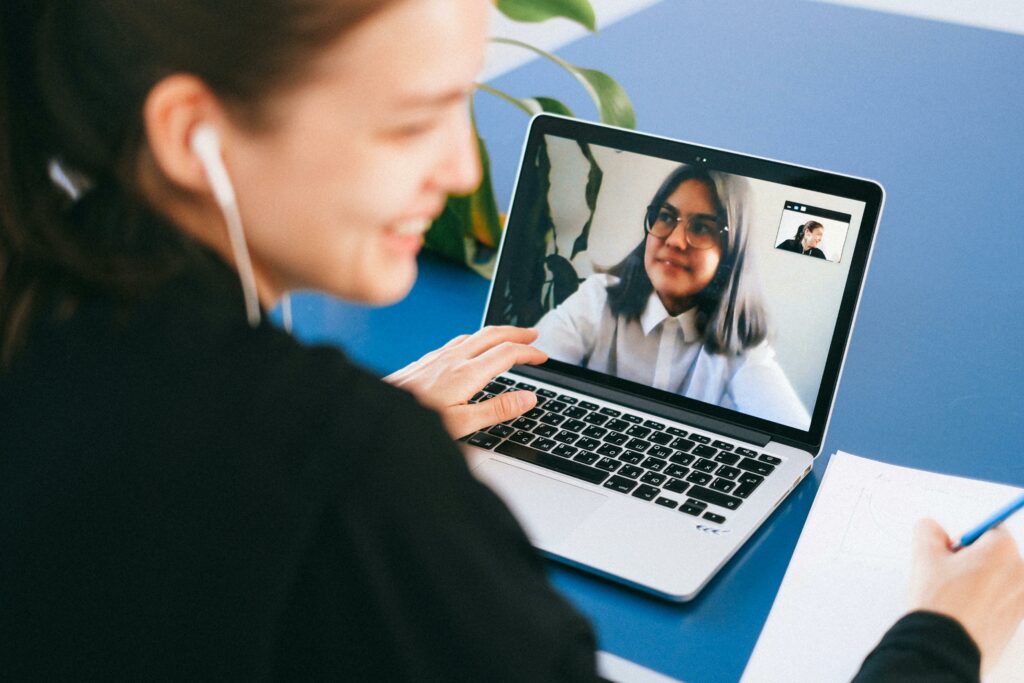
Adjusting your lighting may be the simplest way to improve your on-screen look. The goal is to light your face and reduce shadows, which can distort your image. Natural light is ideal, so if your workspace has a window, take advantage of it.
“Keep in mind how much of a difference natural light can make,” said Leslie Lang, a content marketing writer. “Maybe move your desk around so you have natural light from a window in your face or at your side and see how it looks.” On any video conference platform, you can start a call by yourself to experiment with your setup.
If you don’t have a window or you live in a place with lots of gloomy days, you may need to add lights. Ring lights, positioned behind your webcam, are a popular option. But it’s not necessary to buy new equipment. Any small lamp you already own could serve the same purpose.
“My computer faces a wall, so I turn my desk lamps to face the wall,” said Ilima Loomis, a freelance writer. “The light bounces off and back onto my face.”
How Can I Get a More Flattering Look on Video Calls?
Beyond lighting, making improvements in two key areas can result in a better quality image for video calls. The first is your physical setup. Oftentimes, raising your camera will make a world of difference.
“I put my computer up on a large book or stack three or so coffee table books, so that it’s at a more flattering height,” said Echo Garrett, an independent journalist, author, and co-owner of Lucid House Publishing LLC. “I learned that trick from my husband who is a (professional) photographer.”
The second improvement lies in your software settings. Virtual backgrounds on Zoom and other platforms give people options for blurring the background or replacing it with a serene beach scene, a cozy library, or a branded banner. If your meetings call for a dose of whimsy, you could even make your own background, like this guy who created a custom video where he brings himself a cup of tea.
Many video platforms include filters that give you even more control over your appearance. “The filters allow you to improve appearance (such as smoothing skin and reducing wrinkles) and you can also add digital lipstick, eyebrows, etc.,” said C.L. Fornari, a writer, speaker and radio host.
Where Should I Look When Speaking During Video Calls?
Once you’ve mastered the physical setup and custom settings, use a lesser known trick to level up your Zoom appearance — be intentional about where you look at your screen. This is especially helpful if you’re giving a presentation.
“Mentally divide your screen into quarters and be sure your eyes are at three-quarters level up,” Fornari suggested. “That’s what speakers call the ‘power position’ where your face pretty much fills the screen and the viewers aren’t looking at your ceiling or the view up your nostrils.”
How Can I Look More Professional on Video Calls?
Sometimes, looking better requires more than a strategic setup. Some people pay special attention to the colors they wear. If you’re using a virtual background, tThis is critical to ensure that the filter doesn’t replace your clothing..
Other writers find it helpful to focus on personal care, such as how their hair looks. “A little thing that helps me is Infusium leave-in conditioner,” said Ellen Ryan, writer and editor. “Two squirts in the hand, rub, apply to the top of the head. It smooths down the frizzies and broken hairs that stand out.”
**
Cat DiStasio is a freelance content marketing writer and journalist based in Oregon. Her content work focuses on working with growing brands on human resources technology, trends, and research, as well as B2B technology topics such as AI and energy and green tech. She is a former HR practitioner and technical recruiter who has tracked workplace tech trends for more than 20 years. Connect with her on LinkedInor visit her website.
Browse Articles
Topic
Researching & Interviewing, Running Your Business, Tips, Freelance Life